I guess it's about time I finally got my domain set up with a site..well blog of sorts. I aim to start dumping all of my knowledge and lessons learned here for all IT pros to be able to use, criticize,etc. etc.
Currently, we are in the process of migrating all users to Office 365 ProPlus. However, manually uninstalling lync and office can be a pain. An easier way to do this is to: Create a folder and make two separate xml files named lync.xml and proplus.xml. Put this folder in a publicly accessible share somewhere. In the lync.xml put in the following: <Configuration Product="LYNCENTRY"> <Display Level="None" AcceptEULA="TRUE" /> <Setting Id="SETUP_REBOOT" Value="NEVER" /> </Configuration> In the proplus.xml put in <Configuration Product="ProPlus"> <Display Level="none" CompletionNotice="no" SuppressModal="yes" AcceptEula="yes" /> <Setting Id="SETUP_REBOOT" Value="NEVER" /> </Configuration> Next, create a batch file named nuke.bat or whatever fancy thing you want to name it. Paste in the following: ...
It was a hot morning in August 2015. I opted to not wear my jacket or gloves but I did wear my helmet, boots, and jeans. As I was exiting Interstate 20 by the West Loop 250 entrance, the truck in front of me had no tail lights working and had slammed on his brakes to avoid hitting someone who ran the yield sign on the service road. Going from 75 down to a dead stop on a bike isn't too hard, but throw in a slick patch on the road, and a semi who blew past me as I exited onto the off ramp at the same time and my bike immediately started to slide. I aimed for the caliche and the next thing I knew I was on my back looking up. Out of the peripherals to the left I saw my bike bouncing end over end and I barely had enough time to scream "F**K!" as the tail end slammed onto my helmet and the bike stood on it's end on my head. A pair of safety glasses were the only thing that saved my skull from getting brained by whatever piece of metal to which I can only assume was the pas...
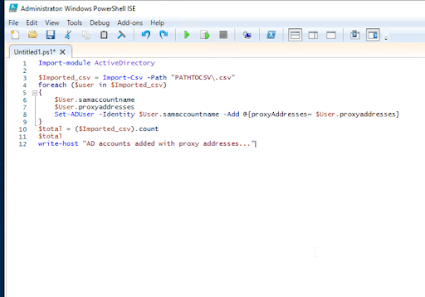
I did a cutover to a new domain and had to merge proxy addresses to existing users. Ill do a better write up later but here is the script I used(Thanks Google). It just needs two columns in the .csv. samaccountname and proxyaddresses. The proxyaddresses must be in smtp:user@domain.tld and the samaccountname is just the windows sam name. It will post any errors in powershell as it rolls. Script: Import-module ActiveDirectory $Imported_csv = Import-Csv -Path "PATHTOCSV\.csv" foreach ($user in $Imported_csv) { $User.samaccountname $User.proxyaddresses Set-ADUser -Identity $User.samaccountname -Add @{proxyAddresses= $User.proxyaddresses} } $total = ($Imported_csv).count $total write-host "AD accounts added with proxy addresses..."


Yeah it's about dang time :)
ReplyDelete